
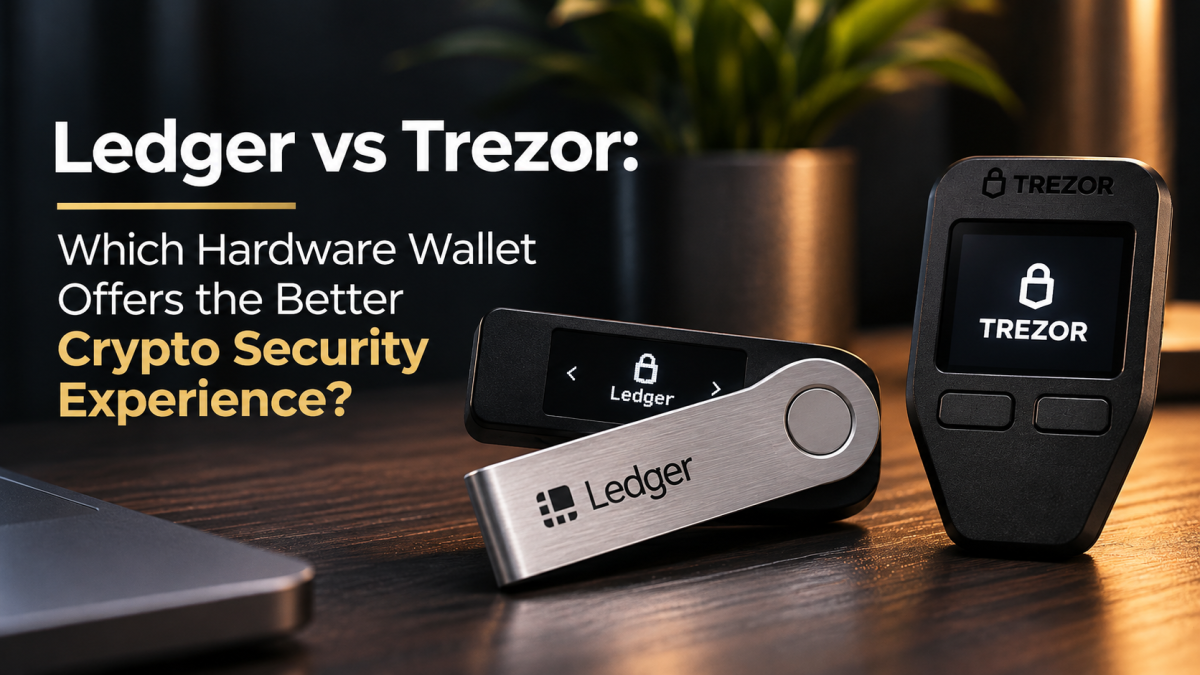
Ledger and Trezor are often presented as two sides of a simple argument: one relies on a Secure Element, the other on open-source transparency. That description is now out of date. Trezor’s Safe range includes dedicated Secure Elements, while Ledger’s own architecture combines a Secure Element with a separate microcontroller. The more useful question is how each company places trust, verifies transactions and handles recovery — and which trade-offs matter to the person holding the wallet.
This comparison looks at the current security approaches across the Ledger and Trezor product families, with particular attention to Ledger’s Secure Element architecture and Trezor’s Safe 3, Safe 5 and Safe 7 devices. Individual models differ, so a brand-level conclusion should never replace checking the exact device and firmware version being considered.
The short answer: two different ways to reduce risk
Ledger puts substantial emphasis on isolating sensitive wallet operations inside a certified Secure Element. Its Ledger OS and device applications run on that chip, while a separate microcontroller manages communication with peripherals such as the screen and buttons. The low-level Secure Element firmware is not fully open source.
Trezor makes source-code transparency a central part of its security model. Its firmware can be inspected and built by outside researchers. Newer Safe devices also use Secure Elements: Safe 3 and Safe 5 use Infineon’s OPTIGA Trust M, while Safe 7 adds Tropic Square’s TROPIC01 alongside the OPTIGA chip and its main microcontroller.
Neither approach removes the need to trust anything. Ledger asks users to place more trust in a tightly controlled hardware and firmware boundary; Trezor gives researchers more visibility into its software and, on newer devices, combines that transparency with dedicated hardware protection. Both still depend on sound device handling, authentic firmware, careful transaction approval and a recovery backup that stays private.
How the hardware security models differ
Ledger: sensitive applications run inside the Secure Element
Ledger’s developer documentation describes a two-chip architecture. The Secure Element stores and uses sensitive cryptographic material and runs Ledger OS applications. A separate STM32 microcontroller acts as a proxy between the Secure Element and external components. Ledger says that this microcontroller manages peripherals and does not run the application logic or store the cryptographic secrets used by Ledger OS.
This separation is intended to keep key-handling operations within a tamper-resistant component rather than exposing them to the general-purpose interface layer. The architecture is used across several Ledger signers, although the exact chips vary by model. Ledger’s published hardware table, for example, lists different Secure Element and microcontroller combinations for the Nano S Plus, Nano X, Stax and Flex.
There is a transparency trade-off. Ledger’s documentation says the low-level Secure Element firmware is under non-disclosure restrictions and is closed source, while the SDK and application-loaded code are more open-source friendly. That does not establish that the closed components are insecure; it does mean independent reviewers cannot inspect every layer in the same way they can with a fully open firmware stack.
Ledger’s architecture is described in its official hardware architecture documentation.
Trezor: open firmware with hardware protection in the Safe range
Trezor’s long-standing distinction is that its device software is open source. Researchers can inspect the code, look for weaknesses and reproduce builds. That visibility is valuable: security claims can be examined rather than accepted solely on the manufacturer’s word. It does not mean every user will personally audit firmware, nor does it guarantee that vulnerabilities will not exist.
It is also no longer accurate to describe modern Trezor devices as having no Secure Element. Trezor says the Safe 3 and Safe 5 use an OPTIGA Trust M (V3) Secure Element. The chip helps enforce PIN protection, contributes entropy during wallet creation and helps verify that the device is genuine. Trezor lists the component as Common Criteria EAL6+ certified.
The Safe 7 uses a more layered design: OPTIGA Trust M, Tropic Square’s TROPIC01 and the main microcontroller work together. Trezor describes this as three hardware security layers. The company’s Secure Elements guide explains the roles of the chips, while its security and safety documentation describes the firmware verification process.
What the differences mean in practice
| Security question | Ledger | Trezor |
|---|---|---|
| Core approach | Secure Element runs Ledger OS applications; a separate microcontroller handles peripheral communication. | Open-source firmware; Safe devices add dedicated Secure Element protection, with Safe 7 using two Secure Elements plus its microcontroller. |
| Software transparency | Some application and SDK components are open, but low-level Secure Element firmware is closed. | Device software is published for public inspection and independent builds. |
| Physical protection | Secure Element protection is central to the signer architecture; exact components vary by model. | Safe 3 and Safe 5 use OPTIGA Trust M; Safe 7 adds TROPIC01. Older models have different hardware. |
| Recovery options | Standard recovery-phrase backup; Ledger Recover is an optional, identity-checked encrypted backup service. | Standard backup options include Shamir backup (SLIP39) on supported Safe devices and Model T. |
| Best fit | People who prioritise a Secure Element-centred design and are comfortable with some closed firmware. | People who value open firmware review and, on supported models, threshold-based Shamir backups. |
Open source is useful, but it is not a security score
Open-source firmware gives independent researchers a route to inspect implementation details, verify changes and identify bugs. It can also make it easier for technically capable users to reproduce a build. Those are meaningful advantages, particularly for people who prefer not to rely entirely on a vendor’s description of how a device works.
But visible code is not automatically secure code. Audits can miss defects, users may not verify the firmware they install, and the hardware still contains components that must be trusted. Conversely, closed firmware is not proof of a backdoor or weakness. It limits independent inspection, which is a real transparency cost, but it does not by itself demonstrate that an attacker can extract keys.
The sensible distinction is between verifiability and security outcome. Trezor gives outsiders more visibility into its software. Ledger concentrates sensitive operations in its Secure Element architecture. Those are different design choices, not a universal ranking.
The Safe 7 TROPIC01 disclosure: a useful real-world test
One recent example shows why layered security and independent research matter. In June 2026, Trezor and Tropic Square disclosed a vulnerability in the TROPIC01 Secure Element used in the Safe 7. Ledger’s Donjon research team had identified a way to use laser fault injection in a laboratory to bypass parts of the chip’s firmware verification. Tropic Square’s follow-up work identified an additional attack path affecting a secret associated with the chip’s PIN-protection mechanism.
The disclosure should be described precisely. Trezor says the attack requires physical possession, disassembly, desoldering, chip decapsulation, specialised equipment and considerable expertise. The company says TROPIC01 alone does not expose the wallet PIN, private keys or backup, and that the other Safe 7 security layers remain in place. The issue is not evidence of a remote compromise or a mass theft of customer funds.
The Block’s report on the disclosure also described a mitigation involving disabling the chip’s maintenance mode. Trezor’s own vulnerability explanation sets out the company’s assessment of the attack’s limits. Anyone using a Safe 7 should rely on current official Trezor guidance and firmware notices rather than attempting unofficial hardware changes.
There are two lessons here. First, even a design with multiple security layers can contain a component-level weakness. Second, independent testing and public disclosure are valuable precisely because they reveal problems that marketing descriptions cannot. Ledger’s researchers found the issue in a rival’s component; Trezor and Tropic Square then published their assessment. That process is a strength of a security ecosystem, not a reason to turn one disclosure into a simplistic brand verdict.
Recovery is part of the security model
A hardware wallet can protect keys inside the device and still leave an owner exposed if the recovery backup is copied, photographed, typed into a website or stored where someone else can obtain it. Recovery design deserves as much attention as the chip specification.
Ledger Recover
Ledger offers Recover as an optional subscription service. According to Ledger’s support documentation, a user must approve creation of the backup on the device. The recovery phrase is divided into encrypted fragments that are sent to separate backup providers’ hardware security modules; identity verification is required to retrieve and reconstruct the backup. It is not compulsory. A user who does not enable the service can continue using a Ledger device with a conventional recovery-phrase backup.
This is a different trust model from keeping a sole physical backup under the owner’s control. It may appeal to someone who wants an additional recovery route, but it introduces service providers, identity checks and an ongoing subscription into the recovery process. Users should understand those dependencies before opting in. Ledger explains the service in its Recover support article.
Trezor Shamir backup
Trezor supports Shamir backup, also known as SLIP39, on the Model T and Safe Family devices. Instead of relying on one complete recovery phrase, the owner creates multiple unique shares and chooses a threshold required to restore the wallet. In a 2-of-3 arrangement, for example, any two of the three shares are sufficient for recovery.
That can reduce the risk that one misplaced or stolen share is enough to reconstruct the wallet. It also creates an operational responsibility: shares must be distributed and stored carefully, and the owner must remember the recovery threshold and locations. Losing too many shares can make recovery impossible. Trezor’s Shamir backup guide explains the process and supported formats.
These options are not directly equivalent. Ledger Recover is an optional provider-assisted encrypted backup service; Shamir backup is a threshold scheme using recovery shares under the owner’s control. Neither makes it safe to disclose a recovery phrase or share to a person, website or support agent.
The risks neither brand can remove
Hardware wallets reduce the exposure created by keeping private keys on an internet-connected computer or phone. They do not make every transaction safe. A user can still approve a malicious smart-contract interaction, send funds to a substituted address, install a counterfeit application or reveal a recovery phrase to a convincing phishing site.
For either brand, the practical safeguards are straightforward:
- Buy from the manufacturer or an authorised seller and follow the device-authenticity checks for the exact model.
- Install companion software and firmware only through official channels.
- Read the destination, amount, network and transaction details on the hardware device before approving.
- Be cautious with complex smart-contract approvals and transactions whose meaning is unclear.
- Keep recovery material offline and private. Never type it into a website, send it to support or share it with anyone claiming to help.
- Check the exact model’s supported assets and signing features before moving funds; support can differ between devices and companion applications.
These habits matter more to most owners than the difference between two chip architectures. A sophisticated secure element cannot protect a recovery phrase that has already been exposed, and a fully open firmware project cannot stop someone from approving a transaction they have not understood.
Which one offers the better security experience?
Ledger is a compelling fit for users who prefer a Secure Element-centred design, application isolation and a hardware architecture that keeps sensitive application operations inside a dedicated chip. The trade-off is that some low-level firmware remains closed, so independent inspection is not possible across every layer.
Trezor is compelling for users who place a high value on open-source firmware and independent review. The Safe 3 and Safe 5 also show that open firmware and dedicated Secure Element protection are not mutually exclusive. Safe 7 adds another hardware layer, although the TROPIC01 disclosure is a reminder to assess published security findings model by model and keep up with official guidance.
There is no defensible universal winner. For a buyer who values firmware transparency and Shamir recovery, a supported Trezor model may be the better match. For someone who prefers Ledger’s Secure Element architecture and is comfortable with its firmware transparency trade-off, a Ledger signer may be more suitable. The right comparison is between the exact models, their supported assets, recovery choices and the way the owner intends to use them — not just the two brand names.
Research note: This article is based on desk research using manufacturer documentation and independent reporting available on 14 November 2026. No Ledger or Trezor device was purchased, opened, benchmarked or tested hands-on for this comparison.
Sources and further reading
- Ledger Developer Portal — Hardware architecture
- Trezor — Security and safety
- Trezor — Secure Elements in Safe devices
- Trezor — TROPIC01 vulnerability disclosure
- The Block — Ledger researchers find flaw in Trezor Safe 7 chip
- Ledger Support — Ledger Recover and the Secret Recovery Phrase
- Trezor — What is Shamir backup?
Comments